

Description
Camtasia – Screen Recording & Video Editing Software
Overview
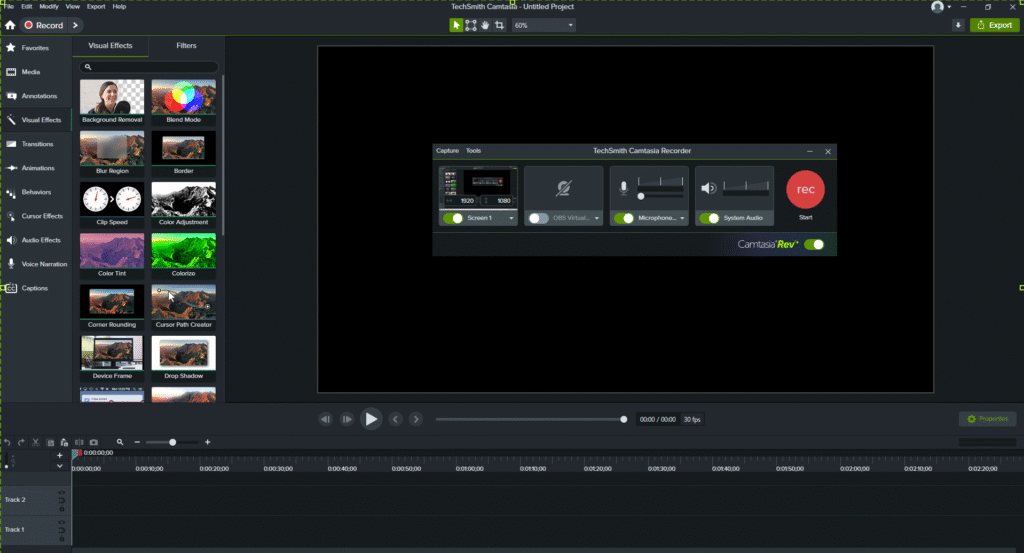
Camtasia is a powerful screen recording and video editing software developed by TechSmith. It allows creators, educators, and professionals to record their screen, add voice narration, edit videos, and create professional tutorials, presentations, or YouTube videos with ease.
It is widely used for tutorial videos, software demonstrations, training content, and e-learning videos because of its beginner-friendly interface and advanced editing tools.
Key Details
Key Features – Camtasia
🎥 Screen Recording – Capture your entire screen, specific windows, or custom regions.
🎤 Audio Recording – Record microphone input, system audio, or both simultaneously.
✂️ Video Editing Tools – Cut, trim, split, and merge clips easily.
🔤 Annotations & Callouts – Add text, arrows, highlights, and shapes to explain concepts.
🎬 Transitions & Effects – Apply smooth transitions, cursor effects, and animations.
📊 PowerPoint Integration – Import presentations and turn them into engaging videos.
🌐 Easy Export – Export in MP4, MOV, AVI, GIF, or directly upload to YouTube, Vimeo, or Google Drive.
📚 Templates & Assets – Access royalty-free music, stock footage, and pre-made video templates.
System Requirements
Minimum Requirements
OS: Windows 10 (64-bit)
Processor: Intel i3 / AMD Ryzen 3 or equivalent
RAM: 8 GB (16 GB recommended)
Graphics: Integrated GPU with at least 2 GB VRAM (Dedicated GPU recommended)
Resolution: 1024×768 display (1080p recommended)
- File Size: 325 MB